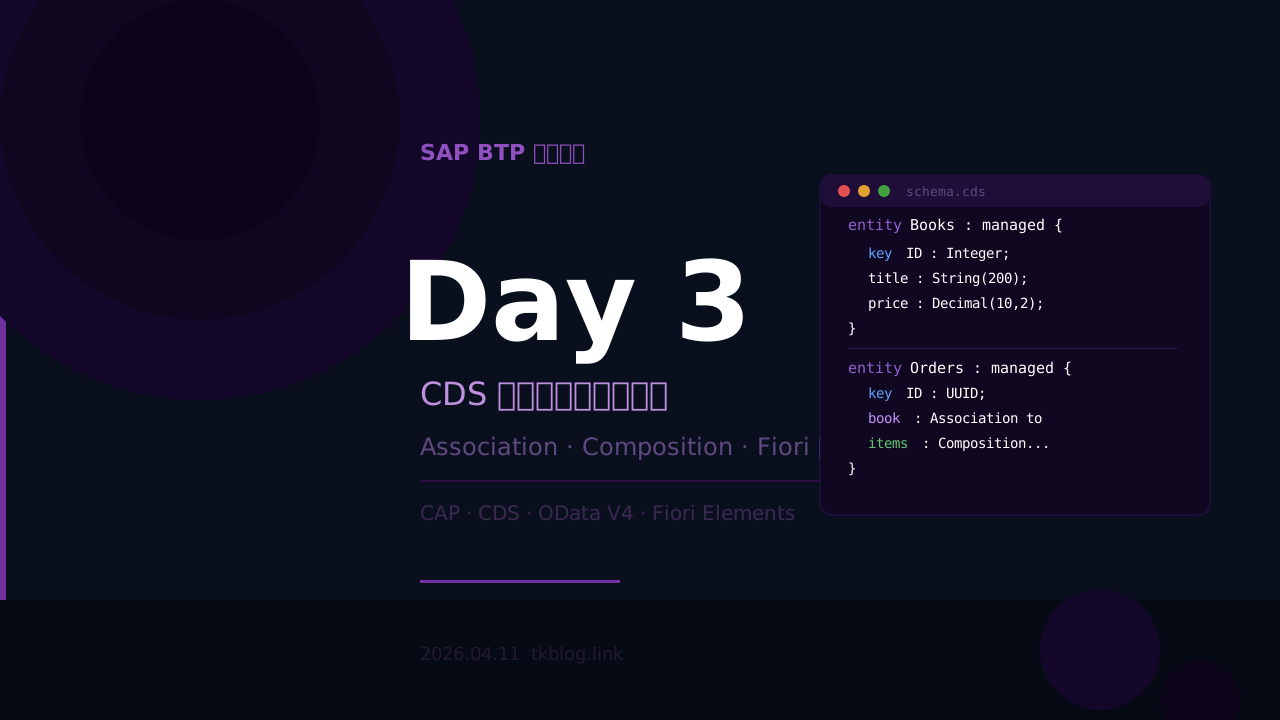
SAP BTP 学習日記 Day3 —— CDS データモデル深掘りと Fiori Preview 自動生成
今日の学習内容
今日は CAP の CDS データモデルを深掘りしました。昨日作った db/schema.cds を段階的に進化させながら、Association・Composition・managed aspect を学び、最終的に Fiori Elements による画面自動生成まで体験しました。
① CDS 基本型の強化
最初に各フィールドに適切な型と長さ制限を追加しました。実務では String に長さを指定しないと DB のカラム定義が曖昧になります。
entity Books {
  key ID       : Integer;
  title        : String(200);
  author       : String(100);
  stock        : Integer;
  price        : Decimal(10, 2);
  publishedAt  : Date;
  description  : String(1000);
}| 型 | 説明 | 例 |
|---|---|---|
String(n) | 文字列・長さ n | String(100) |
Integer | 整数 | 在庫数・ID |
Decimal(p,s) | 小数・p桁s小数 | Decimal(10,2) |
Date | 日付 | 2026-04-11 |
DateTime | 日時 | 2026-04-11T09:00:00Z |
UUID | 一意ID(自動生成) | key ID : UUID |
② Association(関連関係)
Entity 同士を正式に関連付けるには Association を使います。単なる Integer の外部キーとは違い、CAP が自動的に JOIN や $expand を処理してくれます。
entity Orders {
  key ID        : UUID;
  orderDate     : DateTime;
  status        : String(20);
  totalAmount   : Decimal(10, 2);
  book          : Association to Books;  // 多対一(この注文はどの本か)
}
③ Composition(組合関係)
Association との違いは「親なしでは存在できない」かどうかです。
| Association | Composition | |
|---|---|---|
| 関係 | 弱い参照(独立して存在できる) | 強い包含(親なしでは存在できない) |
| 例 | 注文 → 本(本は注文なしで存在できる) | 注文 → 注文明細(明細は注文なしでは意味がない) |
| 削除時 | 親を消しても子は残る | 親を消すと子も一緒に消える |
entity Orders {
  key ID    : UUID;
  // ...
  items     : Composition of many OrderItems on items.order = $self;
}

entity OrderItems {
  key ID    : UUID;
  order     : Association to Orders;
  book      : Association to Books;
  quantity  : Integer;
  unitPrice : Decimal(10, 2);
}
④ managed aspect で共通フィールドを自動追加
managed を使うと、作成日時・作成者・更新日時・更新者の4フィールドが自動で追加・セットされます。手書き不要です。
using { managed } from '@sap/cds/common';

entity Books : managed {
  key ID    : Integer;
  title     : String(200);
  // managed が自動追加するフィールド:
  // createdAt  : DateTime
  // createdBy  : String
  // modifiedAt : DateTime
  // modifiedBy : String
}
⑤ 最終的な db/schema.cds
namespace my.bookshop;
using { managed } from '@sap/cds/common';

entity Books : managed {
  key ID          : Integer;
  title           : String(200);
  author          : String(100);
  stock           : Integer;
  price           : Decimal(10, 2);
  publishedAt     : Date;
  description     : String(1000);
}

entity Orders : managed {
  key ID          : UUID;
  orderDate       : DateTime;
  status          : String(20);
  totalAmount     : Decimal(10, 2);
  book            : Association to Books;
  items           : Composition of many OrderItems on items.order = $self;
}

entity OrderItems {
  key ID          : UUID;
  order           : Association to Orders;
  book            : Association to Books;
  quantity        : Integer;
  unitPrice       : Decimal(10, 2);
}
⑥ CSV テストデータの追加
CAP は db/data/ フォルダの CSV ファイルを起動時に自動読み込みします。ファイル名のルールは {namespace}-{EntityName}.csv です。
# db/data/my.bookshop-Books.csv
ID,title,author,stock,price,publishedAt,description
1,Learning SAP BTP,John Smith,50,4800.00,2024-01-15,SAP BTP の基礎から実践まで
2,Cloud Native Development,Jane Doe,30,5200.00,2023-08-20,クラウドネイティブ開発の完全ガイド
3,ABAP to CAP Migration,Bob Johnson,20,6800.00,2024-03-01,ABAP 開発者のための CAP 移行ガイド
⑦ OData V4 クエリ練習
CAP が自動生成する OData V4 API に対して、さまざまなクエリを試しました。
# フィールド絞り込み
/odata/v4/catalog/Books?$select=ID,title,price

# 条件フィルタ(在庫30以上)
/odata/v4/catalog/Books?$filter=stock ge 30

# 並べ替え(価格の安い順)
/odata/v4/catalog/Books?$orderby=price asc

# 関連データを展開
/odata/v4/catalog/Orders?$expand=book

# 複数条件の組み合わせ
/odata/v4/catalog/Books?$filter=stock ge 30&$orderby=price asc&$select=title,price
⑧ Fiori Elements による画面自動生成
以下のパッケージを追加することで、コードを1行も書かずに Fiori の一覧画面が自動生成されます。
npm add @sap/ux-specification @sap/cds-fiori
cds add fiori
http://localhost:4004 の「Fiori preview」リンクをクリックすると、検索・フィルタ・ソート・ページング付きの一覧画面が自動生成されます。CDS のデータモデルを定義するだけで UI まで自動生成される、これが CAP の最大の強みです。
トラブルシューティング
| エラー | 原因 | 解決方法 |
|---|---|---|
| Only an association of the target side can be compared to "$self" | 逆参照の定義順序の問題 | 参照先 Entity を先に定義する |
| Expected entity to have a primary key | cuid を使うと OData が primary key を認識できない | key ID : UUID を明示的に書く |
| CSV の INSERT エラー | UUID フィールドに Integer を入れている | CSV から ID 列を削除して自動生成に任せる |
この記事は「SAP BTP 学習」シリーズの第3回です。6ヶ月間の独学で SAP BTP 開発へのキャリアチェンジを目指しています。